Only the GM Manager or a user with specific access (see help) can add committees to a board.
To add committees to a board follow the steps below:
1. Navigate to the board using Users, Boards & Reports > Board(s) option then select the board where the committee is to be added - you can only do this as a manger or as a member of that board.
2. Once selected, click the 'Edit Board' button (top right) - for a manager this will allow all option but for a normal user this will only allow committees to be added.
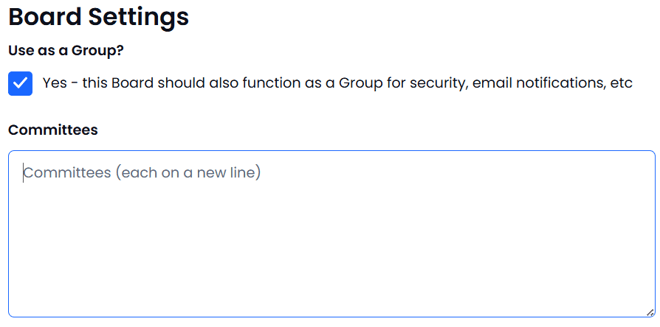
3. Add names for the committees on this board then press Submit:
The board committees are now set.