The Meeting Pack functionality in Governance Manager is the place where the Calendar Events (Meetings) come together with the documents stored anywhere in GM (e.g. Main Governing Board (and Committee) Document folders, Policy folders. This Meeting Pack shows date, time, other details and links to all the meeting papers.
There are two advantages to this approach:
1. The document is only in Governance Manager once (avoids duplication)...it can be used many times in several Events.
2. The Meeting pack contains links to all the relevant documents (agenda, minutes, reports, policies etc) for that meeting and they can be previewed very simply. Each document can contain a full comment history and approval information making for great evidence.
Adding a link is very easy and is part of the 'Create Calendar Event' or 'Edit Event' process.
When you are in the creating the Event you will see the area (Agenda Items) where you can add files and add links - links are much better to avoid duplication of documents:
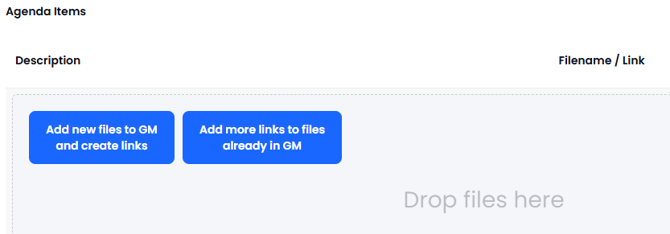
To add links to documents already in Governance Manager, click on the 'Add more links..' button and a pop-up screen will appear so you can select the correct document(s).
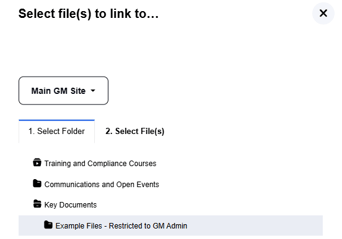
Step 1 - Find the folder where the document(s) are located. Selecting a folder with a sub folder will be shown with an indent, select the relevant folder:
Step 2 - Click the second tab Select File(s) and tick the box of the files you wish to link:
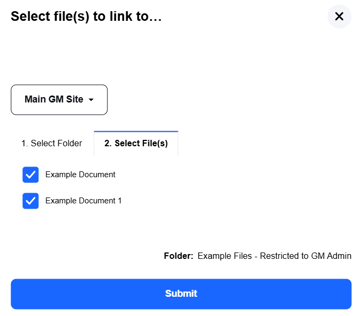
Step 3 - Press Submit
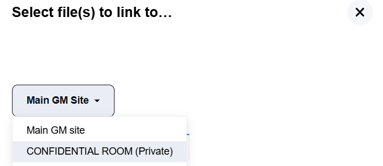
If you have access to any 'private rooms' then a 'drop-down' is given to select the Main GM or any rooms you are allowed to see. Selecting a Room from the drop-down will open up the folder structure in the Room...see below:
Note: You can link to Files, Pages, Policies, Tasks, Discussions and other Calendar Events (meeting packs) but you cannot link to a specific file inside a meeting pack. At present you cannot link to a folder but this is a planned enhancement although there is a workaround possible.
The link(s) you have created then appear in the meeting pack at the bottom of the list of agenda items - you can rename the title on the left with required numbering and when the meeting is saved the links will be in the correct order. See example below:
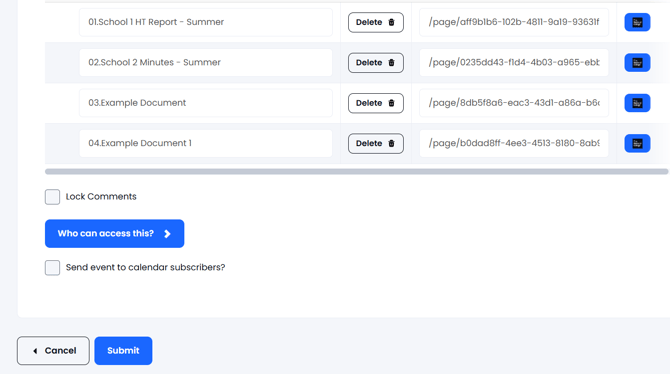
You can select more links (documents) from other folders and when you have finished press Submit.
If you need assistance please call the Governance Manager Support Desk on 0333 0509167 or email gmsupport@nationalcollege.com