There are two ways that you can add a Governance Manager meeting into your own personal calendar.
1. Have 'Subscribe to Calendar' in your own user profile. This means you will get a notification when any meeting is added to Governance Manager that you have access to - you can decide if you wish to add it to your own calendar - INSTRUCTIONS TO SUBSCRIBE TO CALENDAR
2. If you don't wish to subscribe as detailed above but you do want to add specific meetings to your personal calendar the follow the steps below:
a) Navigate to the meeting of interest.
b) Use the 'Actions > Send me the Details'option: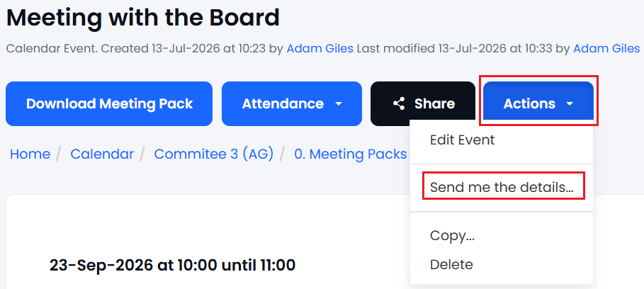
You will be asked if you wish Governance Manager to send a notification with an ICS file attached so you can update your personal calendar.
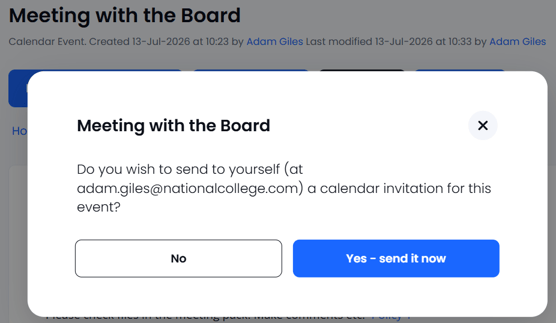
Click yes and the email will be sent. When the email arrives just 'click' on the ICS file to add it to your personal calendar.