Governance Manager allows 'approvals' to be added to Policies, files, Discussions and Pages. This gives a name and 'time-stamped' audit trail that can save valuable time when needing evidence of approval.
GM also allows any user to be notified when an approval has been added (or removed) to a policy, file, page or discussion until the document has been 'approval locked' and no further changes can be made. The decision to receive these 'approval alerts' (via email) is at the user's discretion and can be switched on and off as required. This is very useful when a certain number of approvals are needed to validate a policy or document. The number of approvals is also easy to see.
In a Policy, file, Discussion or a Page you will see the following section (assuming it has approvals switched on).
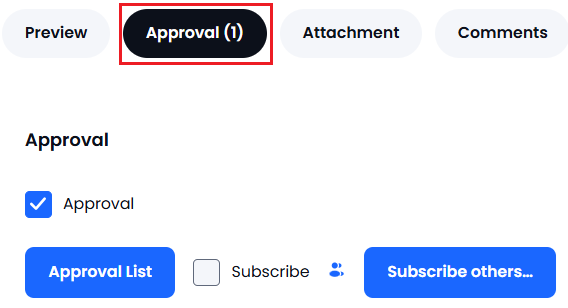
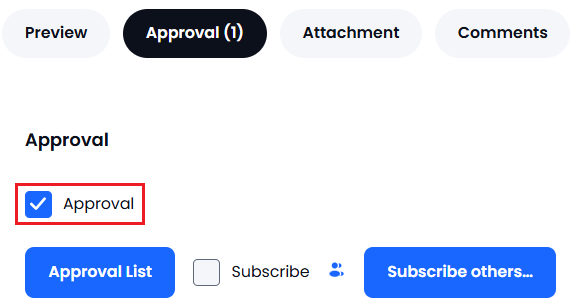
The number of approvals is in brackets and the checkbox indicates if you (the user) have approved this item:
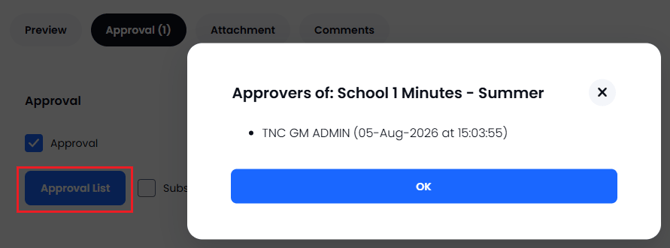
The 'Approval List' button will detail the people who have approved (and when)...
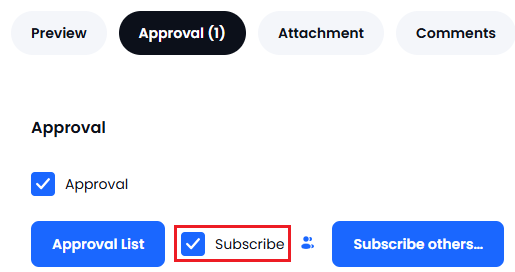
This checkbox determines if you (the user) will receive notifications regarding approvals for this document...remove the tick if you do not wish to receive alerts.
Note: The person who created the document is automatically subscribed to receive approval alerts.
This small icon will show you the people who have subscribed:
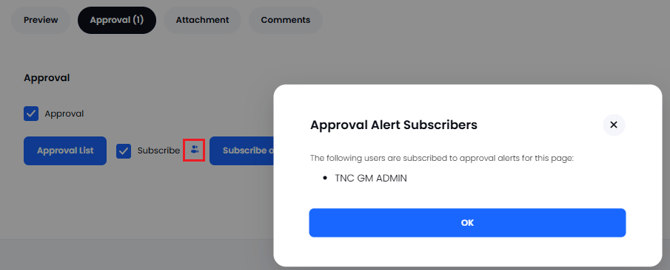
The 'Subscribe Others' button allows you to switch on approval alerts for other users (this is only available to GM Managers and users with this specific permission in their user profile):
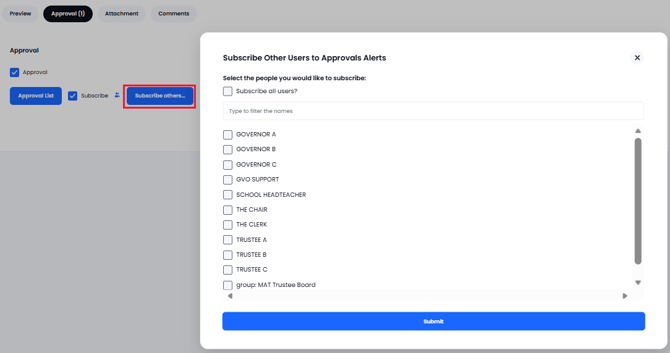
Note: Please ensure that when subscribing other user(s) that they are happy for you to do this as you will be filling their inbox - they can, of course, unsubscribe if they do not wish to see these alerts.