The GM Manager is responsible for adding new users to GM, setting their profiles and adding them to the relevant board(s) in a MAT. In a large MAT it may be appropriate to delegate the updating of the board records to a local board member or the clerk.
Governance Manager allows this but only for any boards where the user is a board member themselves.
To set a user up to be able to edit the record for any board member of the board(s) they are on use the Users/Edit Profile option. You will need to firslty locate the individual you wish to amend preferences of, via Users, Boards & Reports, then click into Preferences and then EDIT.
The item that needs to be selected is shown below:
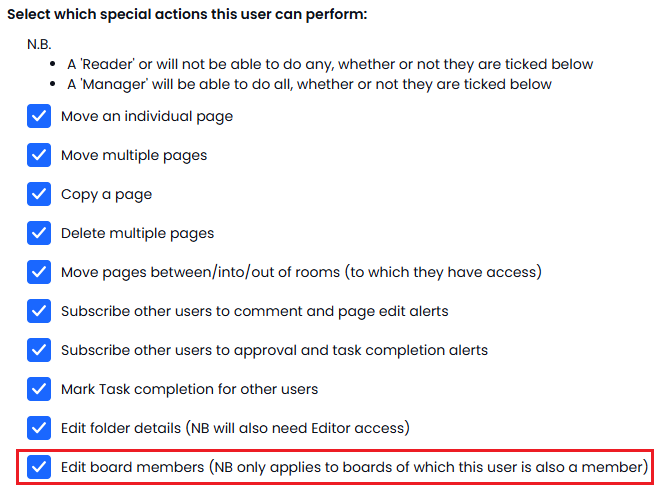
This means that the user can then go to any board (navigate to Users, Boards & Reports, then Boards, and select the relevant Board) they are on and select the user where they wish to update the record and use the 'Edit Board Member' option on the top right...
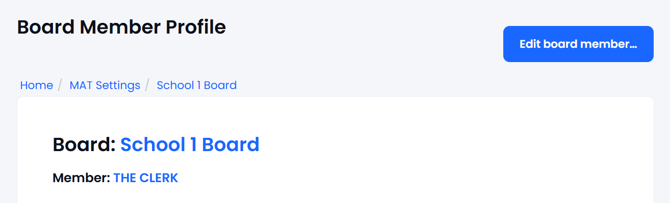
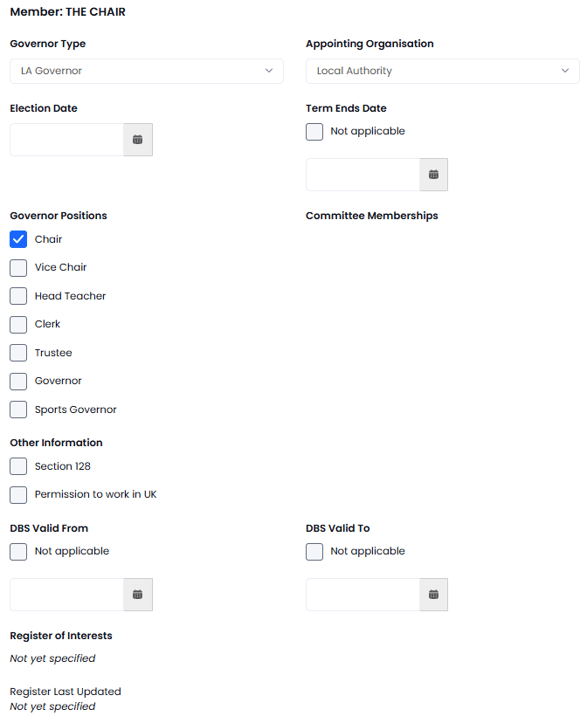
This will open up the screen shown below and allow them to update the following information...
-
Type of Governor (from list)
-
Appointing Organisation (from list)
-
Dates of term of office
-
Roles on this board
-
Committees they are on (from list)
They cannot update the Register of Interest - that is done by the individual or by the GM Manager.
Press SUBMIT when done.