To delete any document/page (file, page, meeting, policy, discussion) there are two possibilities.
1. Delete the item from 'view' mode
2. Delete the item (or multiple items) via the 'checkbox' method
1. Delete the item from 'view mode':
- Navigate to the item you wish to delete to 'view' it.
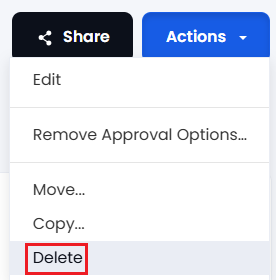
- Use the Actions button and select Delete:
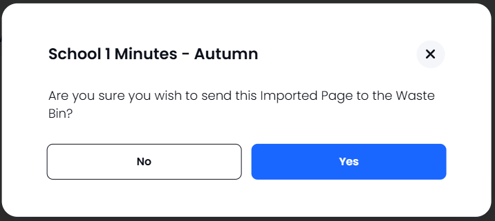
There is a confirmation 'pop-up' showing which file/page you are about to delete. If you are happy press YES otherwise press NO:
2. Delete single (or multiple) item via checkbox method
- Navigate to the folder where the item(s) is/are located
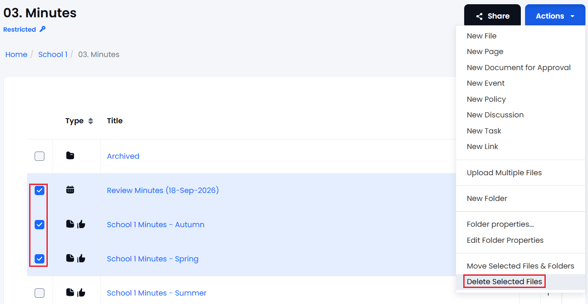
- Select the item(s) to be deleted by using the checkbox, then select Actions > Delete Selected Files:
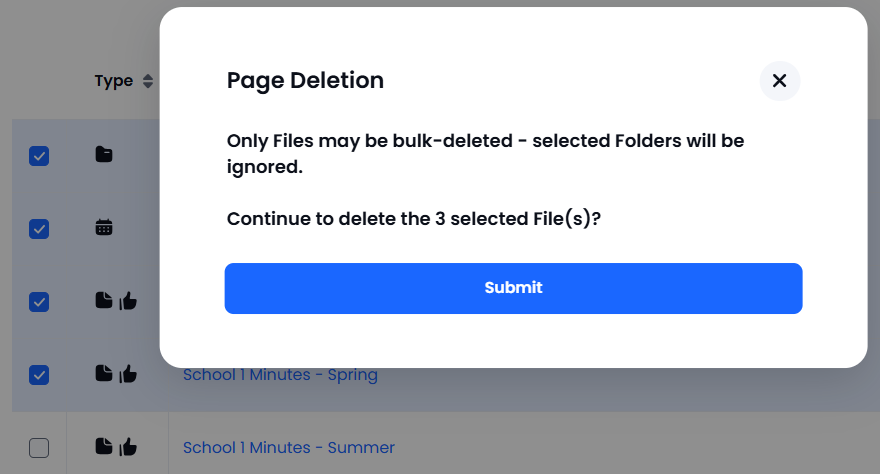
If you have selected files AND folders a 'pop-up' will appear explaining that only files/pages etc will be deleted - folders CANNOT be deleted via this method and will be ignored (see help about "Deleting folders").
If you require further help please contact the support desk.