Often Calendar Events (meeting packs) are created in advance as 'diary placeholders' with only the date/time added. As the date of the meeting approaches the papers will be available and added to Governance Manager.
The meeting pack may then be edited to add the links (all numbered as per the agenda).
To edit the meeting and add the links, follow the steps below:-
- Navigate to the meeting and click on the title (either via the calendar or via the folder where the meeting sits). This will open the meeting in 'view mode'. It may look like this...
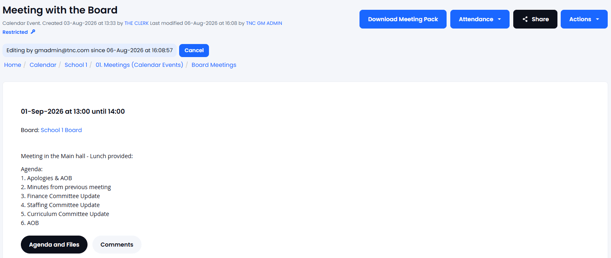
- The options available to you are at the top right of the screen, like in the image above.
If you DO NOT have access to edit the meeting (either your profile or the meeting access controls are not set up to allow you to edit) then it will look like this:
Note: If you need to be able to edit the meeting you will need to contact the meeting owner or your local GM manager to arrange this. - If you do have access to edit the meeting pack then use Actions > Edit Event:
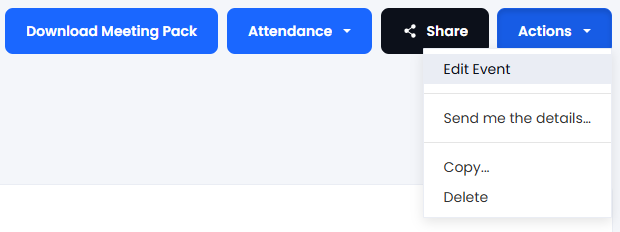
The following screen will open up (identical to the screen when it was created).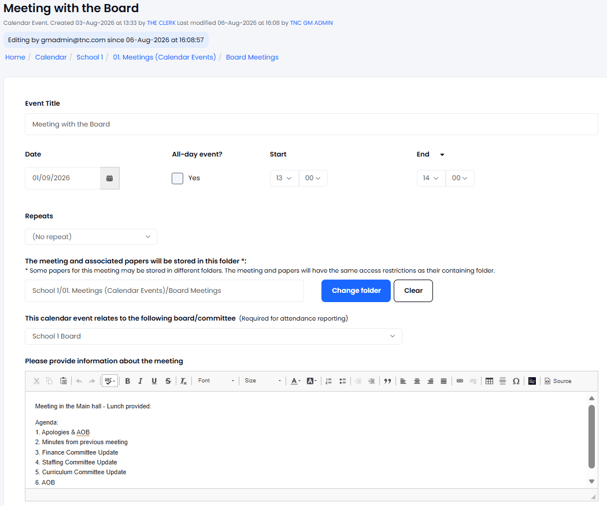
- Navigate to the two buttons further down the screen to add the links to the meeting papers (wherever they are stored) - use the 'add links to files already in Governance Manager' if the files are already there, use the 'add new files and create links' if you wish to add the files (take care to define where these files will be stored):
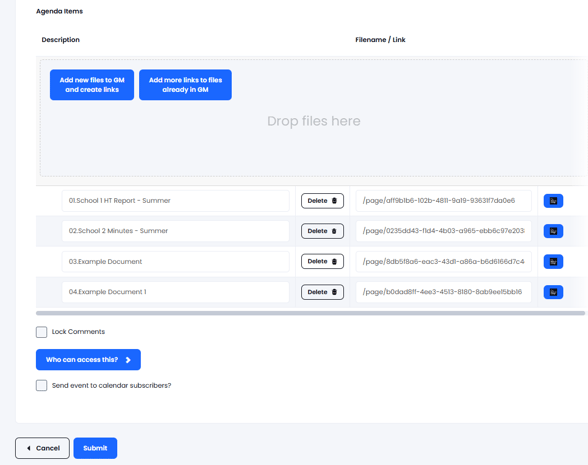
More details about adding the links can be found here - ADDING LINKS TO MEETING PACKS