The meeting pack will be prepared in advance of the meeting.
As more documents (e.g. agenda, minutes, reports and other agenda items) are available they will be added to the pack ready for you to read (and comment/approve).
To find and open the meeting pack use the two methods below.
1. Go to the Calendar and select the meeting title:
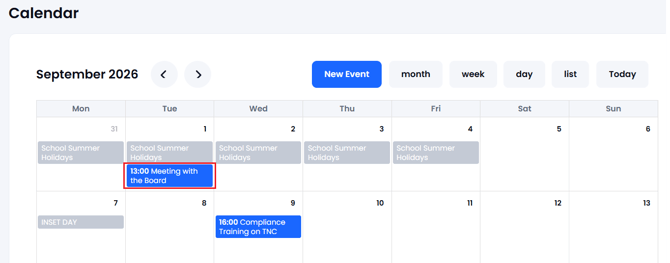
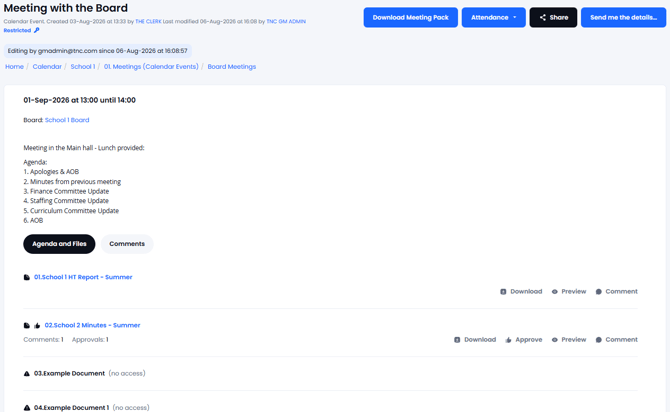
The meeting will open up in a 'view mode' which will show all details of the meeting and provide the option of Downloading the Meeting Pack and preview and comment/approve documents if permissions and the options have been granted:
2. The alternative method is to navigate using the folder system to the folder where the meeting has been stored...this is normally a 'Meetings' folder in the Main Board area or one of the Committee areas. In the example you can note the route of the folder along the top:
Full Board of Governors / 1. Meetings (from Calendar) / 2020-2021
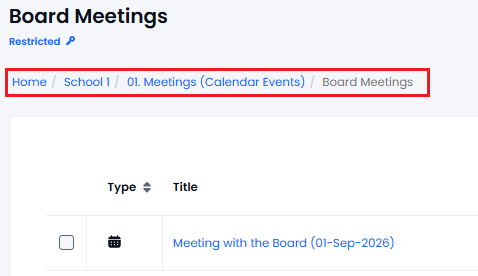
Click on the Title and the meeting will open up in 'View Mode' in the same way it does from the Calendar in the image above.
When in the meeting you will see:
a) The Meeting Title
b) The meeting location (which folder it is stored in)
c) The date and time of the meeting
d) The meeting details (e.g. Location, ZOOM or TEAMS link)
e) The Board or Board/Committee the meeting is for (used for Attendance reporting)
f) The files/items available in the pack.
g) The number of comments/approvals for each agenda item
Items and files can be Previewed with the Preview option (example below)...
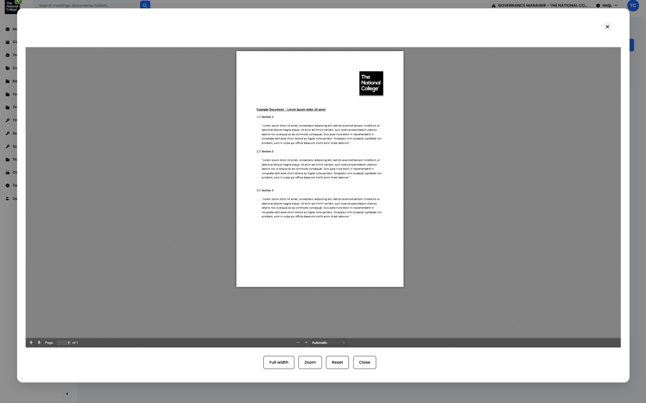
You can also select the title or use 'Add Comment/Approval' which will open up a new window and take you to that document in Governance Manager where you can add your comments/questions or mark your approval or even download the source document.
You can mark your attendance for the meeting (and see who else is attending) using the Attendance button at the top right of the meeting record:
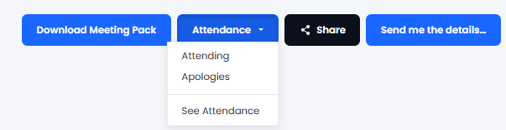
You can also download the entire Meeting Pack into a single PDF file using the 'Download Meeting Pack' button (in the above image)- then may take a few seconds depending how big the pack is.
The Meeting Pack will contain all the details, comments, approvals and content of each agenda item in the pack. This can be saved locally on your device for easy reading where there is a poor internet connection.
The Meeting Pack is the 'one stop shop' for your Board and Committee meetings.