Before setting up the Boards and adding Governor Records it is a good idea to set up the 'Master Data' that will be used for each governor record.
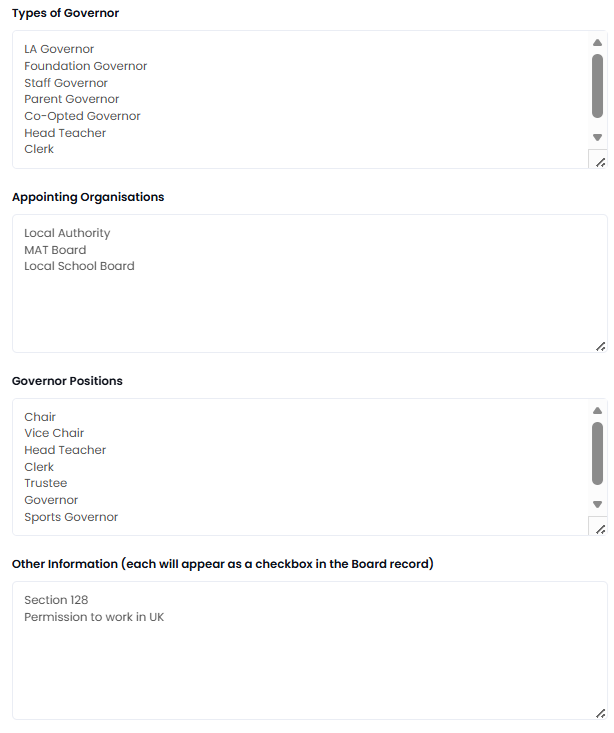
There are 5 items that can be configured locally for Governance Manager:
1. Types of Governor (e.g. Parent, staff, local authority)
2. Appointing Organisation (e.g. LA, Trust, Diocese)
3. Roles on the boards (e.g. chair, vice-chair, governor etc)
4. A fully configurable list for additional items that you wish to records (each will have a checkbox in the Governor Record)
5. The warning period for end of term of office for each Governor
These are all defined in Governance Manager Settings which is controlled by the local GM Manager. To set up this master data, select Settings > Governor Records (Tab) from the main navigator.
Enter the options you require using the lists shown below. A suggested list for the first 3 items is provided that you can modify to suit. Press SUBMIT to save the lists.
These will then appear as options to select from when a Governor Record is created:
The warning period for 'end of term of office' can be set in the 'Newsletter' tab...

The initial setting is 60 days but this can be any time period you choose. The warnings will appear in the weekly newsletter for each GM Manager only. Press SUBMIT to save any changes.