- Use the search bar to find the content you wish to add to the Learning Plan

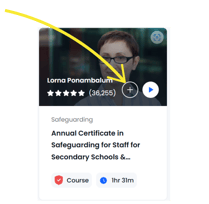
- Click on the Plus icon to add the content to a Learning Plan
- Find and select the Learning Plan you wish to assign the training to - use the 'Search for Learning Plan bar to find this faster.
- Click the 'Save Selection' button.
- Repeat until you have added the required content to the Learning Plan.
❗If you are having issues locating content within the library, check the filters to the left, see this guide for more infomation