There are two ways to view your order history depending on your membership:
1. Members who have a subscription
2. Members who have a Pay As You Go account
1. Subscription members:
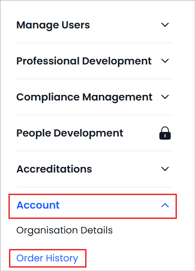
- Click on 'Admin' from the top navigation
- Select 'Account' from the left hand navigation bar
- Click on 'Order History'
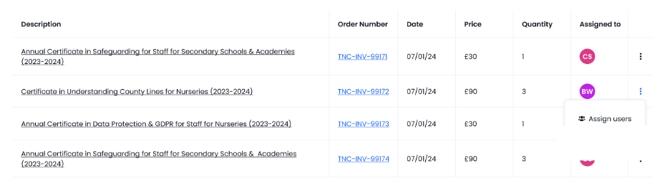
- You can assign CPD content to others by clicking on the 3 dots
2. Pay As You Go account
- Click into your profile via your profile icon in the top right hand corner, or click on 'View Profile' in the left hand navigation.
- A section called 'Order History' will appear in your profile area after you have made your first purchase.
- If necessary, click on the 'View all' link to expand this section to view all purchases.