Please send them your schools unique enrolment link - which can be accessed by:
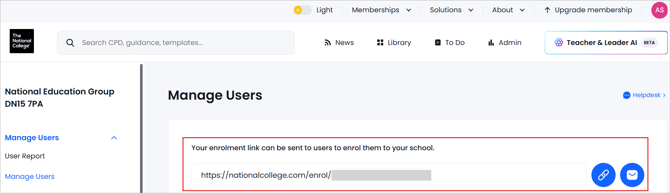
- Logging in to your school manager account
- Click ‘Admin’ in the top right
- Click 'Manage Users' from the left hand menu
Your link can be found at the top of the page. Parents will self-enrol using this link and selecting that they are a parent at initial sign-up.
Once a parent logs in, our system recognises them as a Parent and they will be able to access their resources and Parent content.