It is possible to purchase Professional Development courses without having a subscription.
Before doing this you must ensure that you have set up a Pay As You Go account.
To purchase a course for yourself:
- Log in to your Pay As You Go account.
- Click on 'Library' in the top navigation and search for the content you wish to purchase.
- Click on the course to review the details.
- When ready, click 'Buy now' to check out immediately, or if you wish to browse additional content click 'Add to basket' and then click on the basket icon in the top right hand corner to purchase.
- Click 'Proceed to checkout'.
- Use the switch to toggle between invoice or card payment.
- Complete the necessary fields, leaving the 'I am purchasing CPD for another person unticked'.
- Review the terms and conditions and tick the box to confirm your agreement.
- Click 'Complete checkout'.
- The purchased content will be visible under the 'My Purchases' section in the left hand navigation.
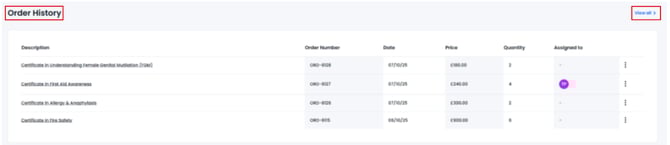
- To view your Order History click into your profile via your profile icon in the top right hand corner.
- A section called 'Order History' will appear in your profile area after you have made your first purchase.
- Click on the 'View all' link to expand this section to view all purchases.