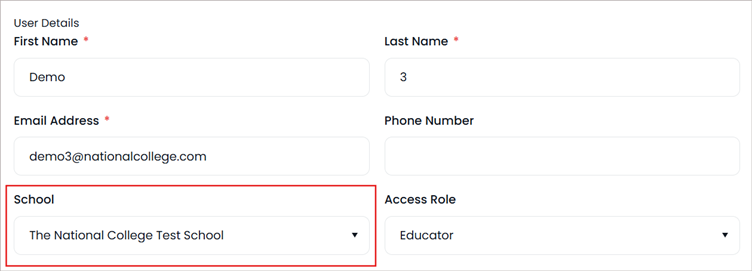
If you are the manager of several schools/a trust- you can swap the schools your users belong to:
- Log into your school group manager account
- Select 'Admin' from the top navigation
- You will automatically be within ‘Manage’ and ‘Users’ in the left hand navigation.
- Here you’ll be able to see your full list of users
- Search for your user
- Click on 3 dots at the end and then 'View/Edit Profile' to open their profile
- Under School - you can change this to a different school within your trust, click on the drop down menu and select the school you would like to add them to
- Press Save