To ensure meetings are included in Attendance Reports, they must be linked to a Board or Board Committee.
When creating a new Calendar Event, select the relevant Board or Board Committee from the Board/Committee drop-down list.
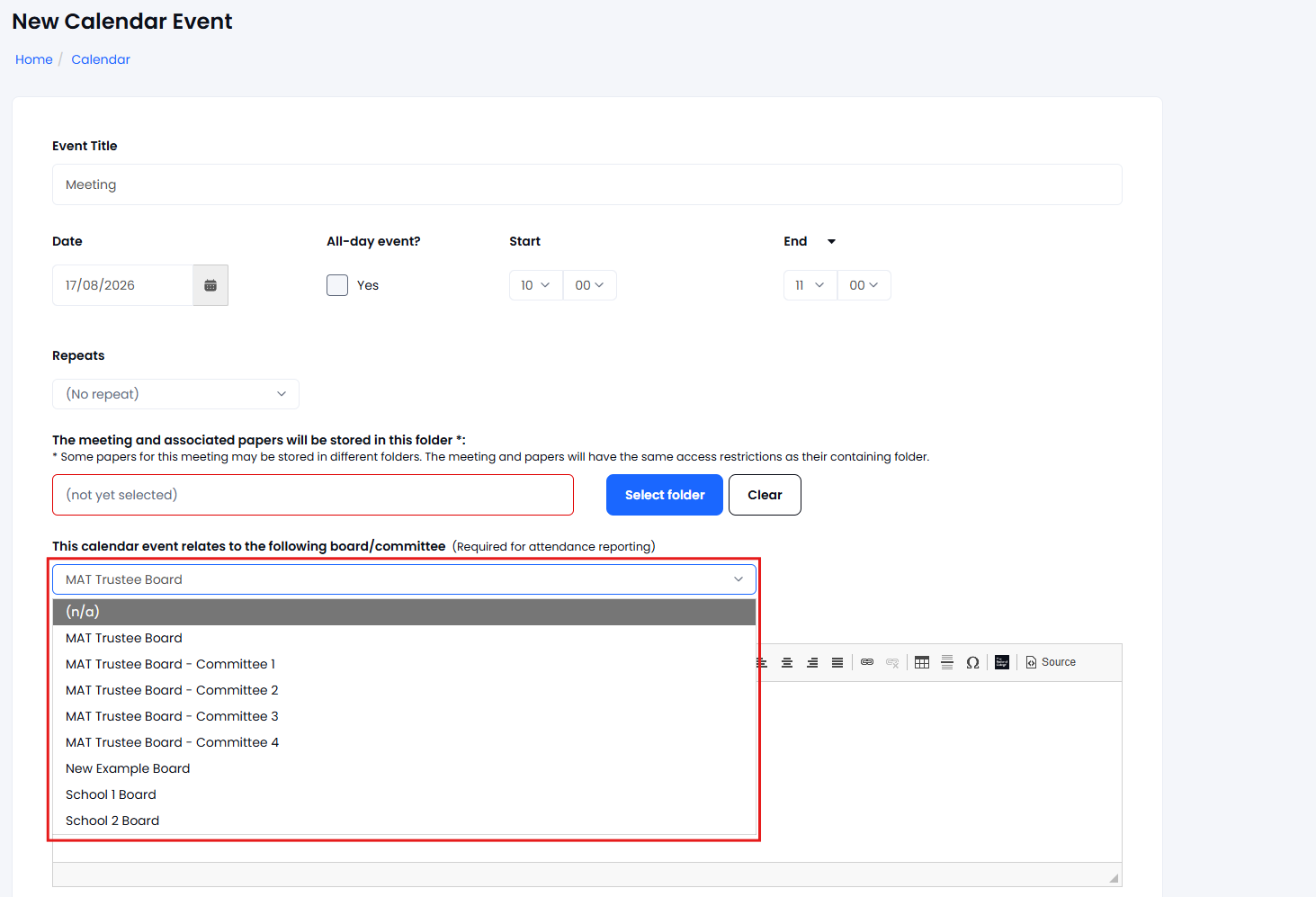
Selecting the correct Board or Committee ensures that:
- The meeting is included in Attendance Reports.
- All meeting attendees are included in attendance reporting.
- Attendance data can be accurately tracked and reported.
If you select N/A or leave the Board/Committee field blank, the meeting will not appear in Attendance Reports.
However, attendance lists for the meeting will still be available and can be viewed separately.
Updating an Existing MeetingIf a meeting has been linked to the wrong Board or Committee, you can easily correct this:
- Open the meeting (Calendar Event).
- Select Edit.
- Update the Board/Committee field with the correct Board or Board Committee.
- Save your changes.
Once updated, the meeting and its attendees will be included in the appropriate Attendance Reports.