When a meeting pack is created the 'links' are added to the pack as documents/reports become available.
As each link is created the name of the document is initially used to create the agenda item title.
When the Calendar Event (meeting pack) is saved then the links are sorted into alphabetical order which is often not the correct order.
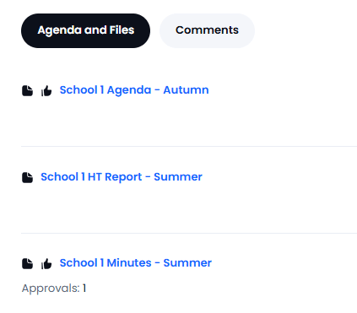
In the example below the items will be listed with the Agenda coming before the Report:
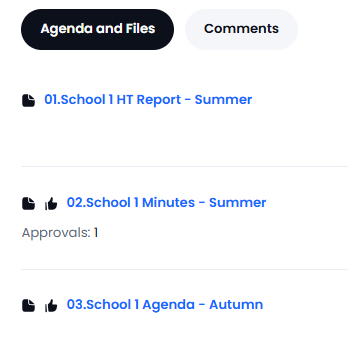
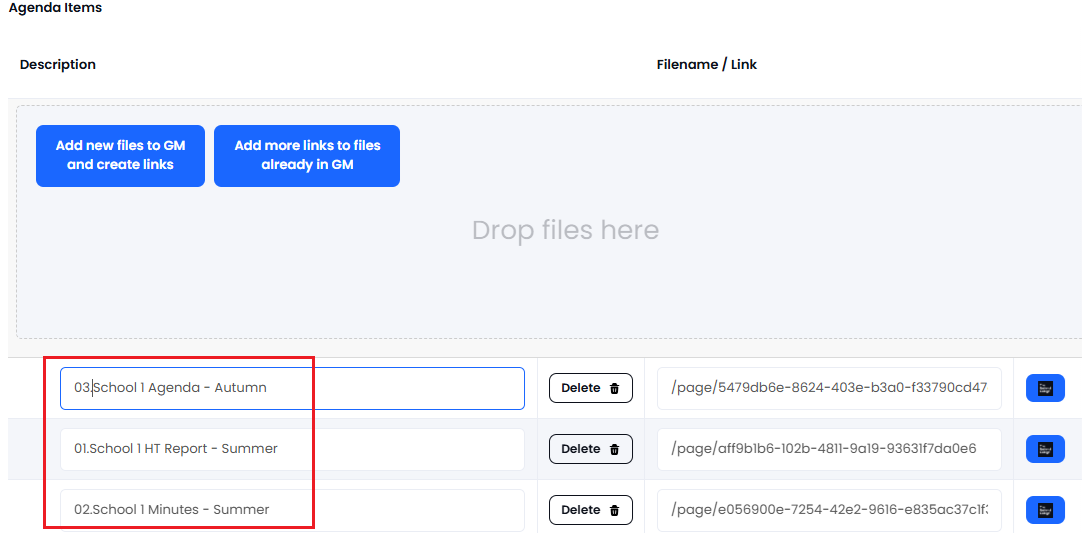
In order to have the items listed in the correct order go to the event, then select Actions > Edit Event. Update the title for each item (left hand box) with the correct numbering by placing your mouse in the title box (it is recommended to use two digit numbering):
Now when this meeting is saved the items will be in the desired order with the Summer Report first: