Governance Manager has a comprehensive Search facility. The Search facility can be handy if you cannot locate what you are looking for in the Calendar or the folders.
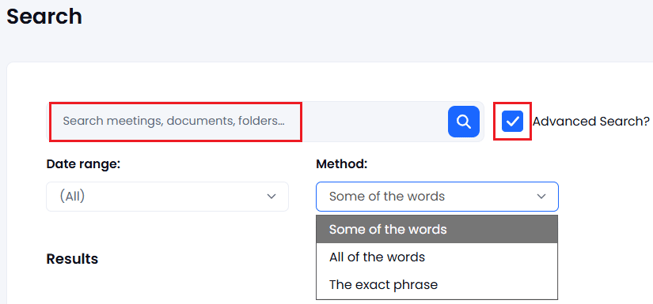
To search your GM type the text in the Search box (top left of Governance Manager) and press ENTER:

The search facility searches titles and content of all files so sometimes you may get a long list of results.
A full list of possible content is displayed - just click on the one you are looking for.
If the list contains too many items to look through quickly try using the 'Advanced Search' feature which enables one to refine the search (tick the box and select the best search method):