The Skills Matrix can only be set up and changed by the GM Manager.
NOTE: If you are making significant changes to the audit layout then we strongly recommend saving a full set of reports from the system BEFORE you make the changes.
Navigate to Settings > Skills Matrix:
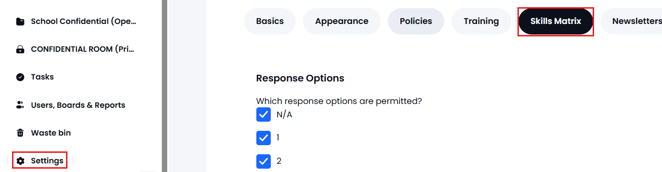
The Skills Matrix area of Settings has two parts:
- The list of available options for the Numeric Questions - select/deselect as required:
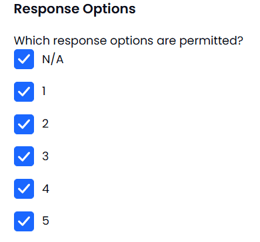
- The second part is where the actual Audit is defined. The audit consists of 'categories' and each category can contain a number of questions. The questions can be 'numeric' or 'text based'.
The design of the audit is TOTALLY flexible with as many categories and questions as you want - Categories can be very helpful for reporting purposes (when you only want to see the output about certain topics).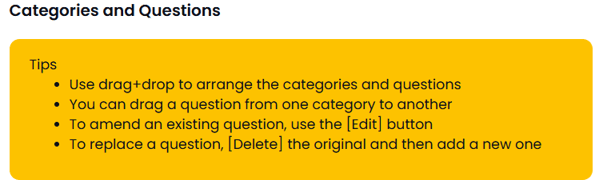
- Categories are added using the 'Add Category button...

You will be asked to provide the Category Title (e.g. Strategic Leadership) and there is a second text area to provide additional information (this is visible when users complete the audit).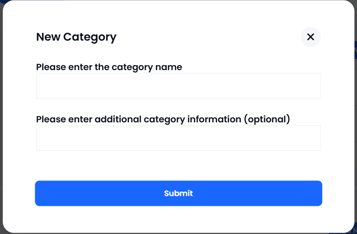
- When you are 'inside' a category you have the following options:

You can edit or delete the category (all data for the questions in that category will be deleted).
You can add/edit both 'numeric' questions and 'free text' questions. In both cases the question can have a title and also additional supplementary information to explain how to answer the question...
Note: If you edit a question such that it is effectively a new question then you must delete the old question and add a new one as the answers behind the scenes will be kept and will be incorrect. Only Edit a question to correct a typo or to add clarification. The question must still have the same meaning.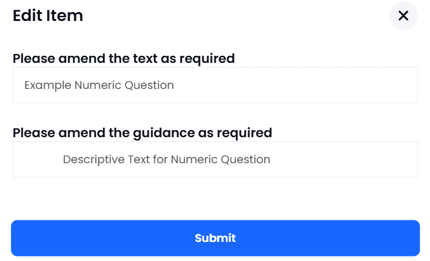
Whilst editing the audit design the system shows you what type of questions you have added with a small icon...the type of questions can be mixed as required - the reporting tool will sort it out when reports are generated:
When you have all the categories and questions as you want them, you must press SUBMIT to save the audit design.
If you have any questions or need assistance with the design and set up of your skills audit please contact the GM Support Desk on 0333 050 9167 or gmsupport@nationalcollege.com