If you wish to update the Skills Audit (questions and/or categories) then this is easy to do but there are a few points to note.
1. If you are changing a question to be a different question then you must delete the old question and add a new one (to remove any legacy responses). If you are changing the question wording but it is still the same question then you can edit it.
2. When a question is deleted or a category is deleted this is irreversible - it is good practice to run the Skills Report and download the PDF and EXCEL files prior to making any changes. This will ensure that you keep a record of the information as it was prior to the changes.
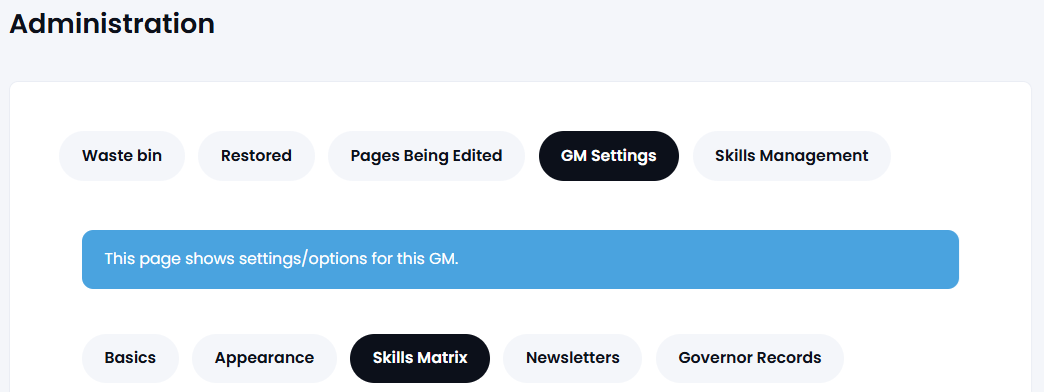
To change the Skills Audit (GM Manager only) go to Settings > Skills Matrix:
To add a new category or to edit/delete an existing category use the buttons shown below:
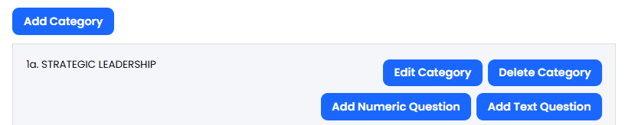
To change or edit a question go to that section and use the Edit or Delete buttons:

NOTE: If the Skills Audit is totally different then it is recommended to delete all the categories and add the new ones for your new audit.
Please call the Support Desk on 0333 050 9167 if you need assistance.