Custom Tasks let you add any action item to other users Task List, giving users a single, central place to track everything you need them to get done.
- Make sure you are logged into an account that has access to Group Admin
- Click on "Admin" in the top right and then go to Task Admin on the left
- Click on "Assign New Task"
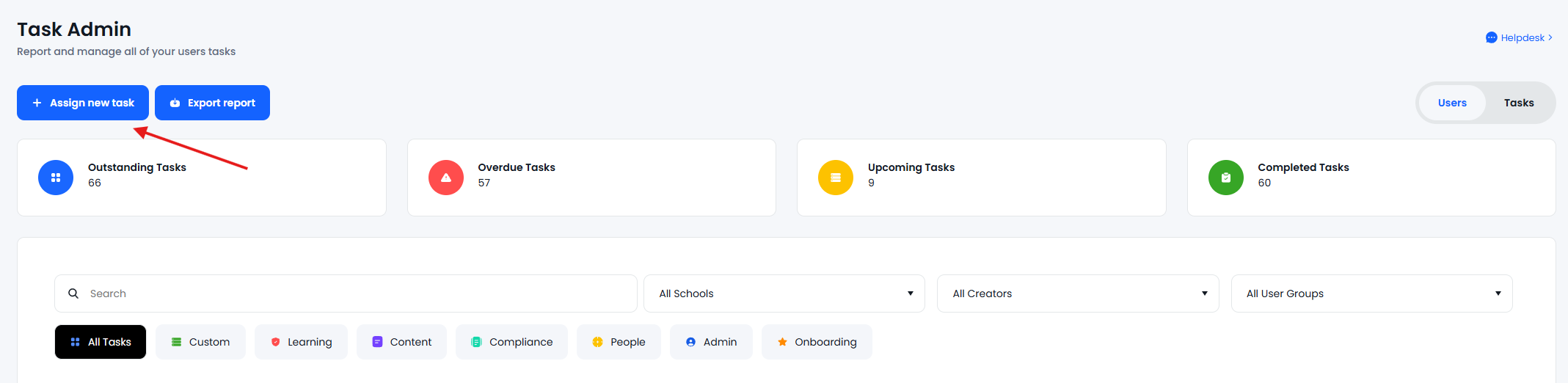
- Select "Create a Custom Task"
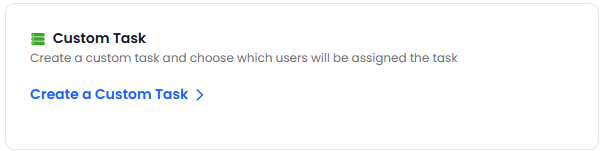
- Enter a task description and set a deadline,
- Select the users/user groups that you are looking to assign this too
- From here you can select individual users or previously setup user groups.
- The task will appear in the users Task List as a Custom Task.
If the user group has this symbol  it will effect users from multiple different schools
You can view and edit tasks within Task Admin in the admin area, Click here for a guide on Task admin