It is possible to add the 'Approvals' functionality to a normal 'File', 'Page' and a 'Discussion'. This is only possible if your user profile is set to allow this (your local GM manager can add this to your profile).
To do this follow the steps below...
1. Navigate to the 'file', 'page' or 'discussion' where you want to switch the Approvals on.
2. Use Actions > Add Approval Options: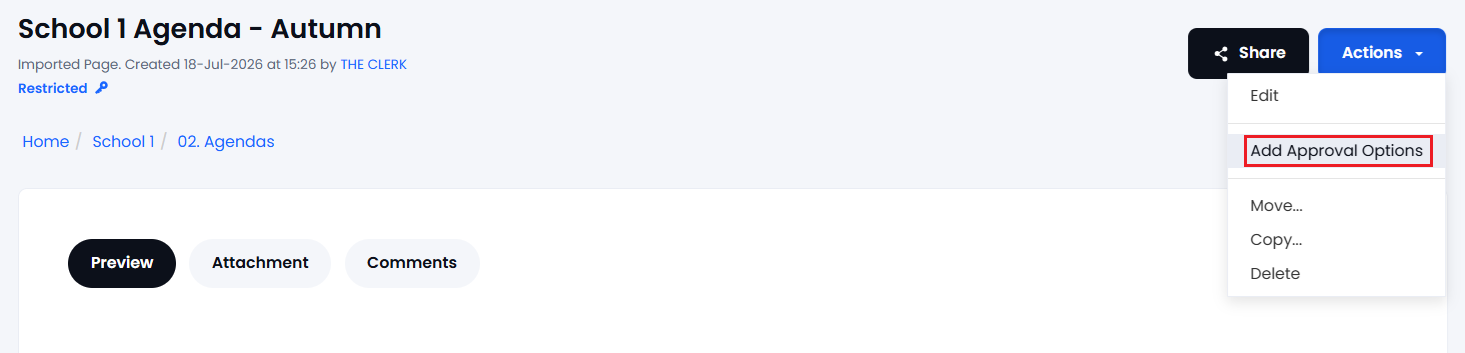
3. The Document will refresh and you will now see the 'Approval' tab (next to Preview).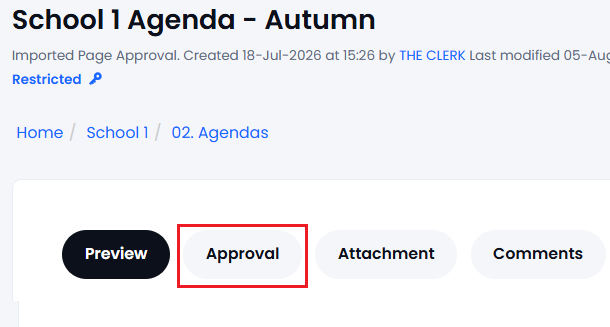
4. To remove the Approval Options from a Document (or Page/Discussion) navigate to the document and use Actions > Remove Approval Options.
Note that all approvals recorded on this document will be lost. You can only do this if you have edit rights to the item and your user profile settings allow it: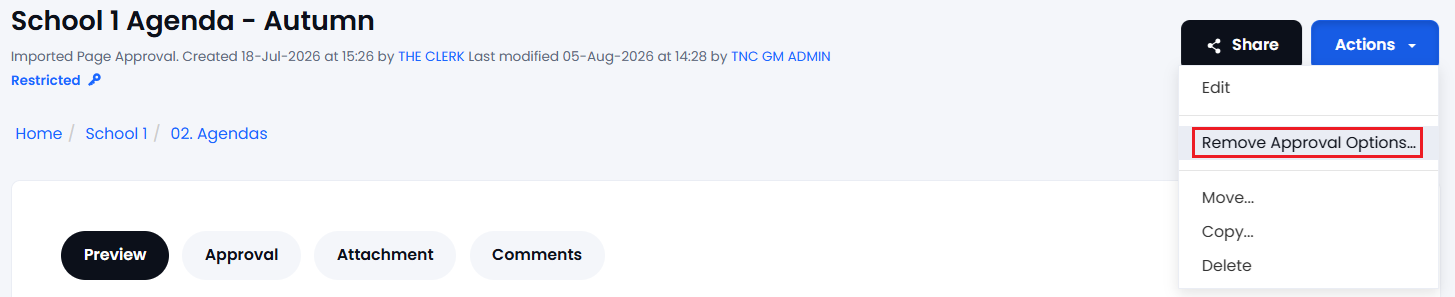
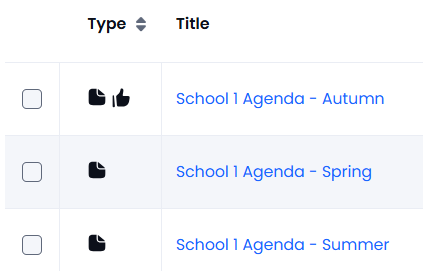
In the folder listing, any items with 'approval' options will be shown with a  icon. See the example below of how items with approvals look in a folder: