The 'Comments' function in Governance Manager is a great way for Governors to ask questions and get responses to information in any GM document (file, event, policy, discussion). The active use of comments can often save valuable meeting time by dealing with some 'low level' items completely offline.
In some cases the comment section may result in a 'decision' or an 'approval' and then it may be necessary to 'lock' the item to prevent further changes.
Governance Manager has a feature that allows the comments feature to be 'locked' so that no changes or new comments can be made (comments there cannot be deleted or edited).
This 'Comment Lock' feature is available on all GM pages (files, pages, tasks, policies, events, discussions) and forms part of the 'edit' or 'create' screen.
To lock the comments on an item the owner or anybody with 'edit rights' may click into the item then select Actions then Edit.
Scroll down the details of the item and just below Title and Description will be the tick box, to 'Lock Comments':
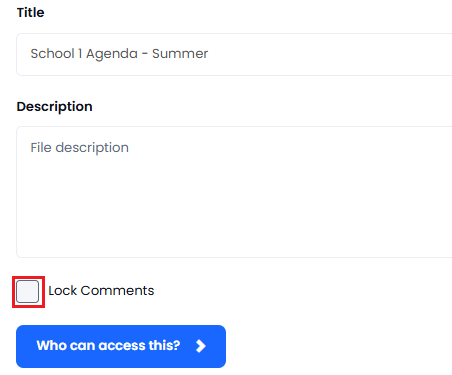
'Tick' the checkbox. Then click Submit to save your change. You will then see the following pop up:
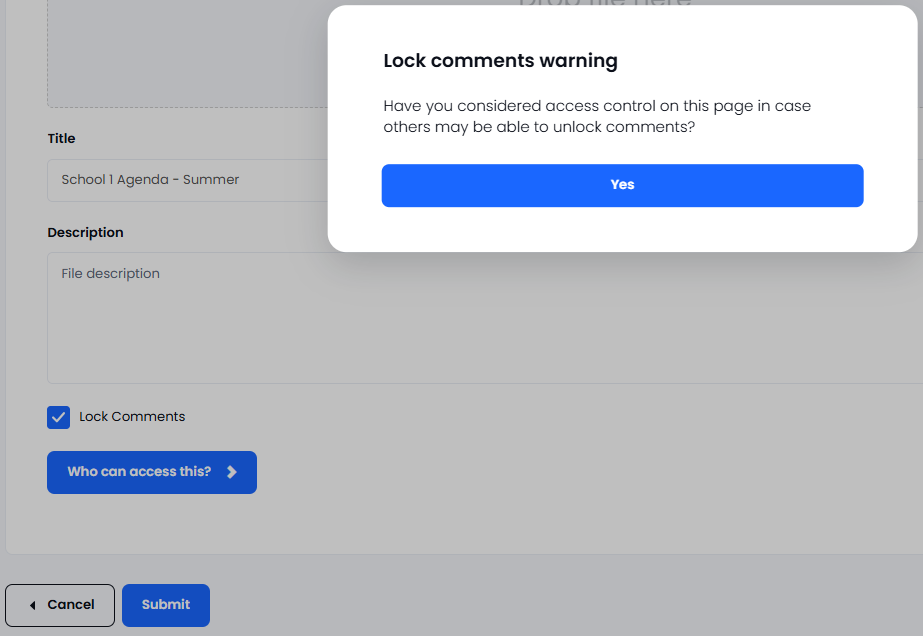
You may wish to consider adding access restrictions to the item to prevent other users from changing it or 'unlocking' the comments (set everybody to Readers). If you wish to amend restrictions as above, select 'Who can access this' and set the restriction accordingly.
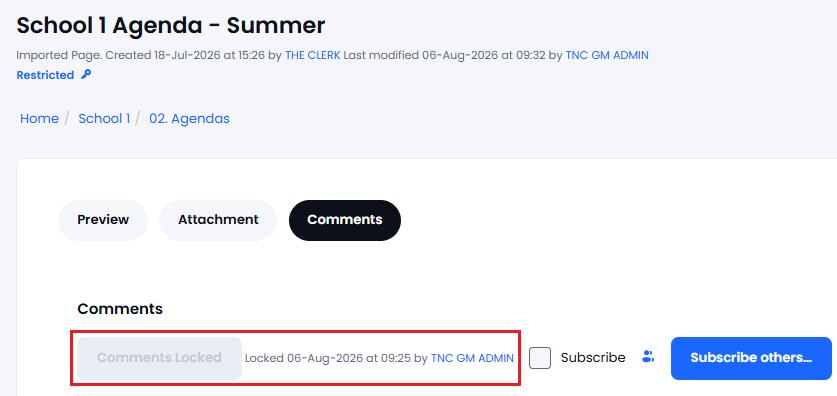
When comments are locked the 'add comment' and all 'edit or delete' options on comments are disabled.
If you need any help please contact the Support Desk.