Comments are a key part of the Governance Manager. Comments can be added by any user who has an 'Author' or 'Editor' profile (a Reader cannot add comments).
Comments can be added to any item in GM - Documents (files), Policies, Tasks, Pages, Meetings (Calendar events)and Discussions. Comments are connected to the item and act as a record of Governor activity.
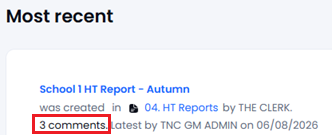
The number of comments added to an item are shown on the Home screen where updates are shown:
As well as in the item itself:
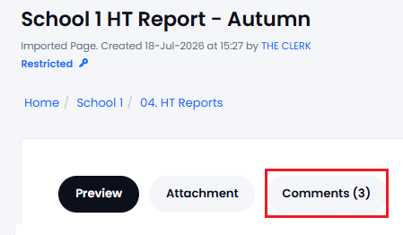
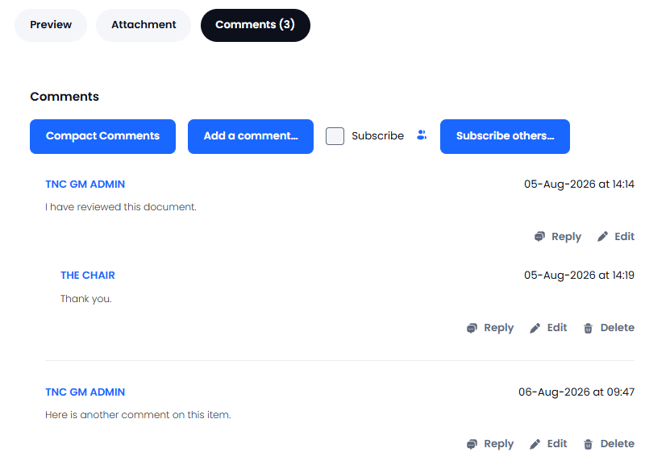
Select the 'Comments' tab to see and make comments. The comment system allows comments to be added and replies to be given to comments (and replies to replies). Replies are indented to show the discussion. Comments can be 'compacted' or 'expanded' depending upon screen space available.
To add a comment to an item in GM just navigate to it, go to the 'Comments' tab and use the 'Add Comment' (or Reply) button. You are able to delete or edit your own comments (as long as there has not been a reply added):
It is possible to 'Subscribe' to any page so that you receive automatic updates when any comments are added or any changes are made to the item - SUBSCRIBE TO A PAGE
It is also possible to Subscribe Other Users to a page (if your user profile permits this) - SUBSCRIBE OTHER USERS