Wonde integration means that the users in your MIS will sync with the users in The National College.
-
Your School Manager will need to get in touch with us to switch Wonde on your your organisation.
-
Once activated, the staff member who requested the activation will receive an email to approve the connection.
-
After giving approval there will be a short delay whilst Wonde carries out final data checks and approves the link their end.
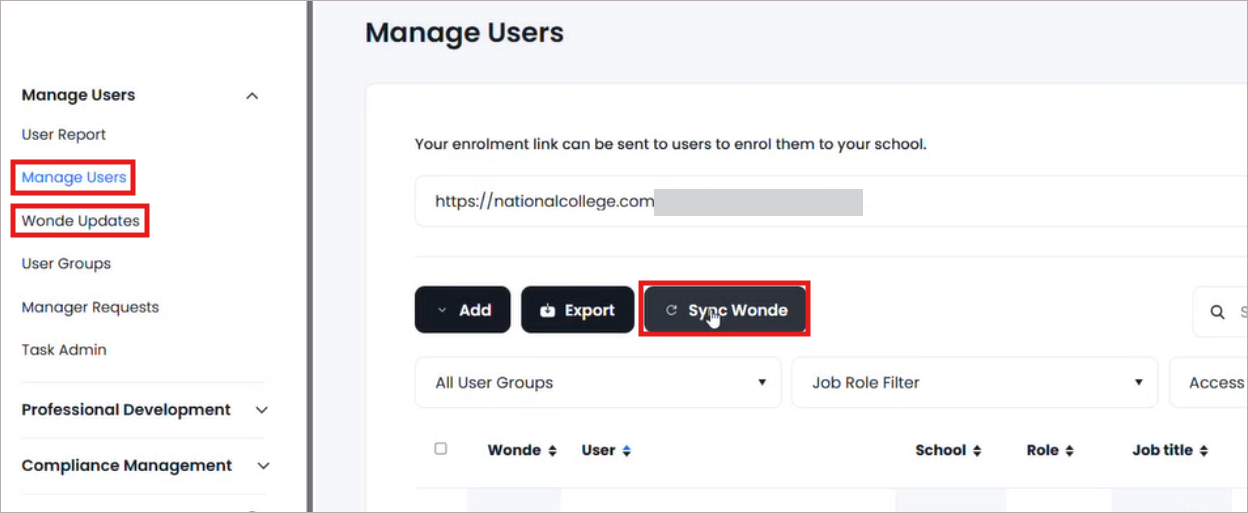
ℹ️ This usually takes a few hours but at the latest it should be live the next working day. - Once the connection is complete, go to 'Admin' and then 'Manage Users' in the left hand navigation.
- Click on the 'Sync Wonde' button towards the top of your screen.
- Click on 'Wonde updates' in the left hand navigation.
- The data you see will mirror that in your MIS
Accepting or declining new users:
-
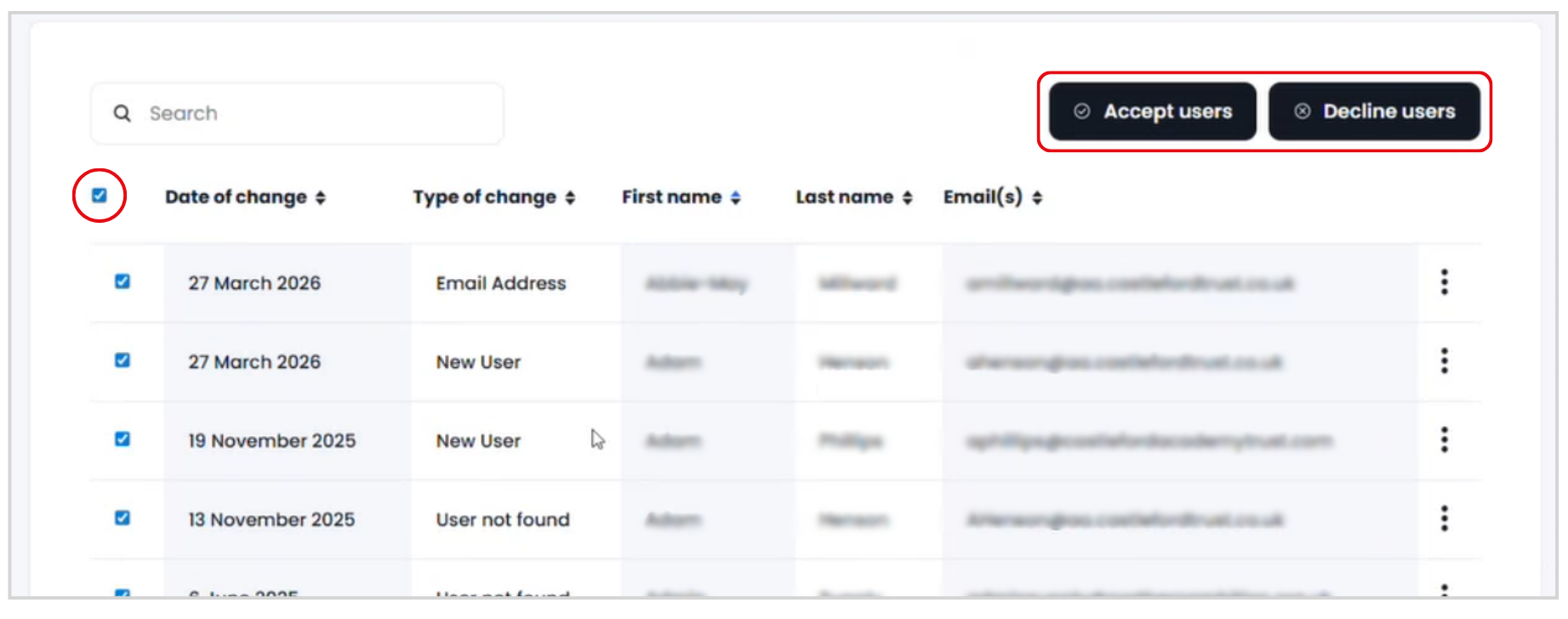
To accept or decline a single user click on the 3 dots at the end of the user row.
- Click to accept or decline.

- To accept or decline in bulk, tick the top box to select all users.
- Untick anyone user you do not wish to apply the action to.
- Click on the Accept or Decline users button as appropriate.