Access external CPD through admin.
- Click on ‘Admin’ which is located in the top navigation to the left of your profile icon.
- On the left hand menu, click on 'Professional Development' then 'External CPD'
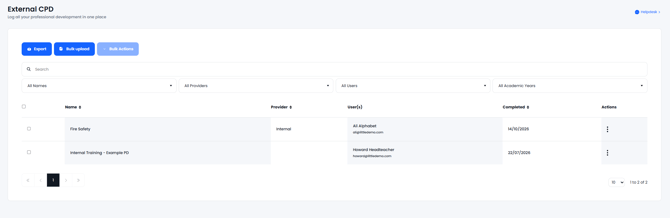
- Within this page, every external CPD that has been added will display
-
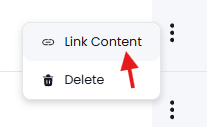
If you find the external CPD in question and on the right press the 3 dots then 'Link Content'
-
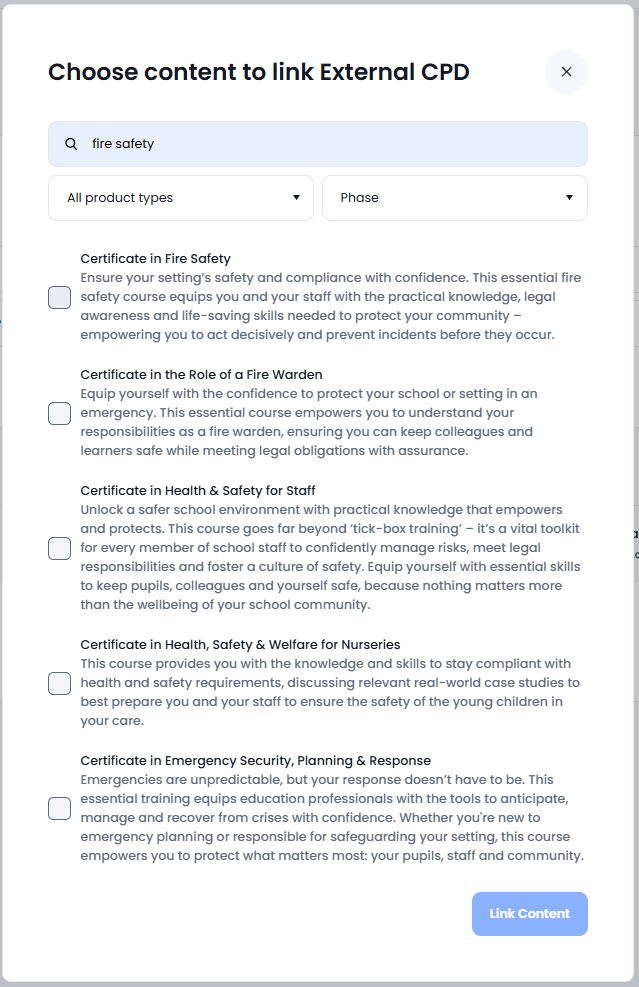
A box will pop up and ask which course to link it to, you can search for the course then tick the appropriate one and click 'Link Content'
-
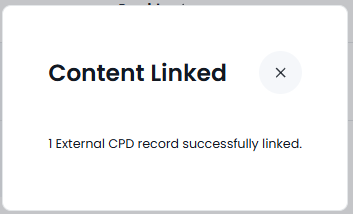
After you link them the system will acknowledge with a confirmation box
2. Bulk linking users external CPD to a full course
-
Within the list of external CPD completed at the school, tick the relevant courses you’re looking to bulk link. Then, go to ‘Bulk Actions’ and click ‘Link Content’.
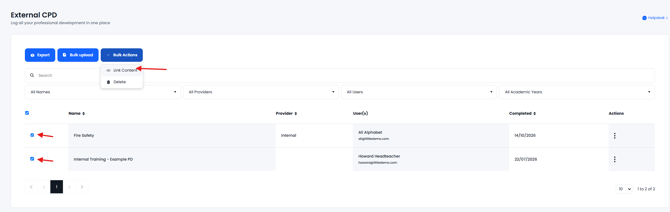
- A box will pop up and ask which course to link it too, you can search for the course then tick the appropriate one and click 'Link Content'
- After you link them the system will acknowledge with a confirmation box