What Is a Refresher Course?
A refresher course is a standalone, shorter version of a full course. It is designed for learners who have already completed the full course and need to refresh their knowledge within a defined availability window.
Key points:
- Each full course can have one associated refresher course.
- A refresher course can be linked to one or more full courses.
- Full course and refresher course progress are tracked independently - switching between them does not affect progress in either version.
How Eligibility Works
A learner is eligible for a refresher course when all of the following conditions are met:
- The learner has completed the linked full course.
- The refresher availability window has not expired
- The learner's school has the ‘Allow Refresher Courses’ setting enabled.
Click here for help on how to change the setting as an admin
Eligibility is not affected by how the learner originally completed the full course. It applies equally whether the course was:
- Assigned via a one-off learning plan
- Part of a recurring learning plan
- Completed through self-directed learning
Finding a Refresher Course
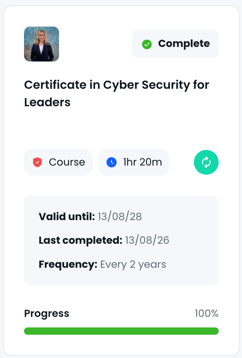
In the Library, courses that have an associated refresher display a refresher icon on the course card. Hovering over the icon shows a tooltip: "This course includes a refresher version."

The icon is not shown if the school has disabled refresher courses in their organisation settings.
Navigating to a Course Page
When a learner navigates to a course page via the Library, Task List, Learning Plan, direct URL, or any other route, the platform checks their eligibility:
- Eligible learners are automatically directed to the Refresher Course page.
- Non-eligible learners land on the Full Course page.
If a learner navigates to a saved refresher URL but is no longer eligible, they are redirected to the full course page.
Eligible learners can freely switch between the full course and refresher course:
- The Full Course page includes a link to the Refresher Course.
- The Refresher Course page includes a link to the Full Course.
- Switching does not affect progress in either version.
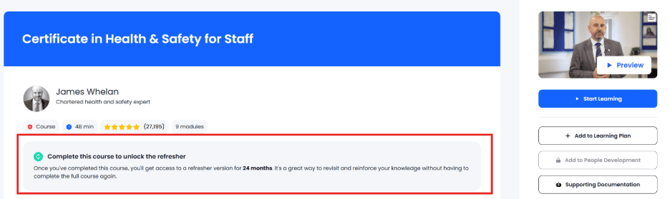
The course page displays a contextual banner based on the learner's current status. The banner content adapts dynamically as eligibility and progress change.
Click Here for a list of Refresher courses and there appropriate full versions