To help schools ensure that staff fully engage with course content, Admin users are able to restrict the ability of users to skip within course videos. This prevents learners form jumping ahead, ensuring courses take the intended time and that certificates reflect genuine participation.
ℹ️ Please note - This feature applies to content within The National College library. Any video content added as Internal CPD will be unaffected.
To enable or disable video skipping:
-
Click into your 'Admin' area
-
And click on 'Account' in the left hand navigation
-
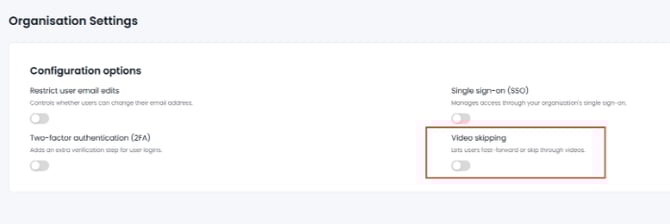
In the 'Organisation Settings' area you will see an option titled 'Video Skipping'
-
Video skipping is set to 'ON' by default meaning users can freely seek forwards and back within a video
-
If Video Skipping is toggled 'OFF', learners are unable to interact with the progress bar within videos and must watch the video in full.
This functionality is only available at school level. If you are a School Group Manager, select an individual school from the drop down in the left hand navigation in order to access the Organisation Settings.