Disabling for a single school
-
Navigate to admin in the top right hand corner of the platform
- On the left hand menu, go to 'Organisation Settings'
- Scroll down and you will see the 'Email Preferences' section
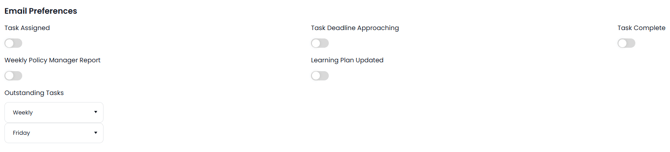
 the specific email will not go out, when the option is turned on
 the email will go out.
Disabling for a group of schools
- Navigate to admin in the top right hand corner of the platform
- Ensure that you are within group admin in the drop down on the top left,
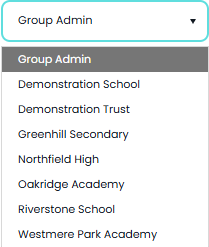
- On the left hand menu, go to 'Group Settings'
- Scroll down and you will see the 'Email Preferences' section
- These will be titled the same as above but with different options in drop down boxes

-
- Managed at school level - The individual school managers are able to decide what the option should be
- On - Locked at school level - Force the emails to be sent out locking out the school manager from changing the option
- Off - Locked at school level - Force the emails to be blocked locking out the school manager from changing the option
Emails that are effected
-
Task Assigned - When a task is assigned to a user
- Task Deadline Approaching - Reminder email when the deadline for a task is at certain timeframes. See this guide for more infomation on the timeframes Task List Reminders
- Task Complete - Email that is sent out when task is completed
- Weekly Policy Manager Report - A summary of policies that are outstanding to be read from the Leadership & Governance subscription.
- Learning Plan Updated - An email that is sent out when a learning plan is changed and then republished, such as a new course being added.
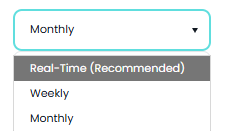
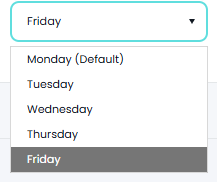
- Outstanding Tasks - This email is not able to be turned off but you can change the frequency of the reminders and which day its distributed.